
Receiver Development · Firmware Comparison
GNSS Receiver Firmware Regression Testing: Repeatable Cases and Result Comparison
GNSS receiver regression testing checks whether a firmware change preserves required receiver behavior and stays within the allowed change from an approved baseline. A useful comparison identifies the running build, effective configuration, starting state and applied inputs, then evaluates both absolute requirements and version-to-version differences.
This guide separates firmware behavior from configuration migration, defines a repeatable comparison package, and works through three metrics that lead to different decisions. It is intended for development and release evaluation, where a passing functional check alone cannot establish that an update is acceptable.
Part of GNSS Simulation 101. Use the receiver validation test-plan guide for the overall requirements and evidence structure.
Decide which change the experiment is testing
Firmware behavior under equivalent settings
Compare baseline A and candidate B with the same intended receiver settings, verified as effective on each build. This asks whether the changed software behaves differently under the declared input and state. Preserve any unavoidable differences and limit the conclusion accordingly.
Configuration migration and deployed defaults
Test the actual upgrade path separately: begin with A's deployed configuration, apply the supported upgrade process and inspect B's resulting settings and behavior. This checks persistence, migration, changed defaults and interface compatibility. It answers a different question from a comparison using freshly prepared equivalent settings.
The same command file is not proof of equivalent configuration. A command may be rejected, interpreted differently or leave a new default active. Retain responses and read back the applied settings. If a required setting cannot be matched, label the experiment as a combined firmware/configuration change.
Freeze more than the firmware filename
Capture what the DUT is actually running. NovAtel's VERSION log reports component information; its GPSCARD model field identifies the active software-feature model. RXCONFIG reports current configuration, including defaults, and LOGLIST identifies the actual log outputs and schedules.[1][2][3]
| Area | Retain | Comparison check |
|---|---|---|
| DUT and build | Serial number, hardware revision, running firmware/component IDs and image identifier or hash. | The intended build and hardware were used. |
| Effective settings | Readback, accepted/rejected commands, feature authorization, signal selection, filters and output schedules. | Equivalent settings, or explicitly declared migration differences. |
| Starting state | Reset procedure, retained navigation data, backup state, assistance, corrections, warm-up and readiness evidence. | The case-specific preparation was achieved before each repetition. |
| Stimulus | Scenario/capture version, epoch, navigation data, motion, enabled models, seed where applicable and event schedule. | The matched pair received the intended repeatable input. |
| Bench | Source firmware/options, RF path and DUT-port level, timing, power, temperature and capture configuration. | Setup variation is controlled or quantified. |
| Analysis | Protocol adapter, reference data, clock mapping, validity rules, metric implementation and decision-policy version. | Both versions were scored using the same declared meanings. |
Preserve native readback and a reviewed semantic comparison. Different firmware may serialize equivalent settings differently. A configuration dump also does not establish that all learned states, retained data and runtime conditions have been reproduced.
Reproduce the starting state and verify the RF input
A restart does not universally create a cold start. NovAtel documents that RESET can restore saved settings while retaining NVM navigation data. Its FRESET targets clear different subsets, and the STANDARD target has documented exceptions. Use the exact DUT procedure and verify the intended state rather than assuming “factory reset” clears everything.[4][5]
Choose the preparation for the question: acquisition with specified retained data, resumed operation, correction recovery or a deployed upgrade. Keep an explicit procedure and evidence for each. Apply manufacturer-supported update and rollback methods, including configuration handling, before treating a same-unit crossover as executable.
For synthetic RF, retain scenario time, satellite/navigation data, selected signals, motion, power, model settings and relevant seeds. Verify the signal path at the DUT input. A saved scenario name alone does not capture source-version changes, RF routing or level variation.
For record and replay, retain the exact capture and playback configuration. LabSat's Road Angel case study describes comparing firmware versions using a recorded route; the general value is reuse of a defined input, with coverage bounded by the recording and replay chain.[6] See the test-method comparison when choosing the input source.
Repeatable stimulus does not require identical DUT bytes. Receiver noise, internal state and timing can produce run-to-run differences. Compare required behavior and declared metrics with tolerances. Byte-level comparison is appropriate only for an output whose deterministic encoding is itself the requirement.
Use matched runs and retain the actual execution order
Within a pair, keep the case input and preparation matched. Reuse the same DUT and RF path where supported; otherwise design and disclose the hardware comparison. Assigning all A runs to one unit and all B runs to another can confound firmware and unit differences.
Control important nuisance factors such as temperature, hardware and bench state. Predeclare a randomized or counterbalanced order where the supported update workflow permits it. NIST's experimental-design guidance explains blocking and the value of run-order analysis for separating treatment effects from drift.[7]
One illustrative four-pair order is AB, BA, BA, AB. Restore the specified state before every execution, including consecutive runs of the same build. This order does not eliminate all drift or carry-over effects; retain preparation checks and baseline repeatability controls.
- Fixed core suite: preserve representative startup, nominal navigation, interface and required degraded-input cases.
- Change-focused cases: add cases for the modified feature, affected signals, configuration boundaries and previously failing behavior.
- Upgrade-path cases: keep migration, defaults and application compatibility separately identifiable.
Use the scenario design guide to define individual inputs. Freeze the suite revision for the comparison; add new findings as versioned cases rather than quietly editing the baseline test.
Worked comparison: passing an absolute limit can still hide a regression
All builds, values and limits below are hypothetical. A and B are labels, not real receiver firmware releases. Each case has four matched pairs on the same DUT with verified equivalent settings and declared preparation. Every reported result has complete capture and reference evidence.
The startup case measures TTFF from confirmed receiver power-on with configured RF already available to the first valid allowed position solution whose horizontal error is at most 0.50 m. Retained navigation data, backup state and assistance are explicitly prepared and matched. This example does not claim an unassisted cold-start condition.
A separate steady-state case uses a predeclared scenario window [30, 90) s at 10 Hz. Each run provides all 600 planned, valid, time-aligned position records. Position error and complete-record output age are evaluated on that same population. Late records remain in the accuracy population and are also evaluated by the separate age rule.
Output age is host capture time of the complete record minus its applicable epoch on a verified common clock. Unknown or unexplained future epochs cannot be scored as fresh. For both per-run P95 metrics, use the nearest-rank method: sort 600 values and select the 570th.
        d_i = metric_B,i − metric_A,i

        mean paired change = (d_1 + d_2 + d_3 + d_4) / 4

        Example acceptance requires BOTH:

        each candidate run satisfies its absolute limit

        mean paired change is no greater than the allowed increase
All three metrics are lower-is-better. The absolute gate applies to every candidate run. The degradation gate in this example applies to the mean of the four paired run-level differences.
| Metric | Baseline A | Candidate B | Absolute limit per B run | Allowed mean increase | Decision |
|---|---|---|---|---|---|
| Prepared-state TTFF | 8.0, 8.4, 8.2, 8.6 s | 8.2, 8.5, 8.4, 8.7 s | ≤10.0 s All pass |
≤+0.30 s Observed +0.15 s |
Pass both gates |
| Per-run P95 horizontal error | 0.20, 0.22, 0.21, 0.23 m | 0.33, 0.35, 0.34, 0.36 m | ≤0.50 m All pass |
≤+0.10 m Observed +0.13 m |
Fail degradation gate |
| Per-run P95 output age | 120, 110, 130, 120 ms | 90, 80, 90, 100 ms | ≤80 ms Three fail |
≤+10 ms Observed −30 ms |
Fail absolute gate |
The position metric meets the application limit in every candidate run but worsens beyond the allowed baseline change. Output age improves on average, yet three candidate runs still exceed the required limit. Faster delivery does not offset the position regression; the release evidence retains both failures.
The position change of +0.13 m is the mean paired change in run-level P95 values, not a P95 computed from pooled samples. If individual-pair degradation must also be bounded, add that guard before testing. Four pairs demonstrate this arithmetic and decision policy; they do not establish statistical equivalence, population reliability or adequate sample size for a release campaign.
Handle incomplete outcomes explicitly. If a fully observed startup trial reaches a 60 s deadline without the required fix, report a timeout and a TTFF bound greater than 60 s, rather than inserting an exact 60 s value or dropping the trial from the mean. A known absolute failure remains a failure even when another comparison is unresolved.
Classify the difference before assigning a cause
| Observation | Disposition | Follow-up evidence |
|---|---|---|
| A passes; B violates a requirement | Candidate failure requiring investigation. | Reproduction, matched configuration and input, raw records and affected code/configuration scope. |
| Both pass absolute limits; B exceeds allowed degradation | Performance regression under the declared policy. | Per-pair differences, repeatability and uncertainty. |
| Both fail an absolute requirement | Existing failure remains unresolved, even if B improves. | Linked issue and the candidate's remaining violation. |
| A fails; B meets all applicable gates | Fix candidate within the tested scope. | Fresh confirmation cases and coverage of adjacent behavior. |
| Required bench, reference or capture evidence is missing | Comparison not verified where affected. | Qualified setup evidence or a linked repeat according to the retest policy. |
A changed wire format can expose an analysis bug or break a required application interface. Inspect original bytes and the documented protocol before assigning a navigation cause. If compatibility is itself a release requirement, a confirmed compatibility break is a genuine test failure.
Preserve intermittent failures and the original run IDs. Define how additional repetitions are triggered and evaluated. Repeating only B until it passes, then replacing the failed result, destroys the declared comparison.
Keep a release evidence package that can be rerun
For each criterion, retain the case revision, pair and run IDs, firmware/configuration identity, input and starting-state evidence, original outputs, reference data, metric values or bounds, uncertainty and decision. Link each rerun to the original attempt and preserve the reason for repeating it.
Summarize fixes confirmed, new regressions, unresolved baseline issues and unverified comparisons separately. State the hardware, configurations, signals and conditions covered. Promote a candidate to the reference baseline only through the project's release decision, while preserving the prior baseline and its evidence.
Automation can help execute the sequence and detect incomplete runs. Define scenario control, DUT preparation, version readback, logging, timeouts, analysis and artifact retention as explicit interfaces. Confirm supported commands and integration responsibilities for the actual source and receiver.
Configure the RF platform around the regression cases
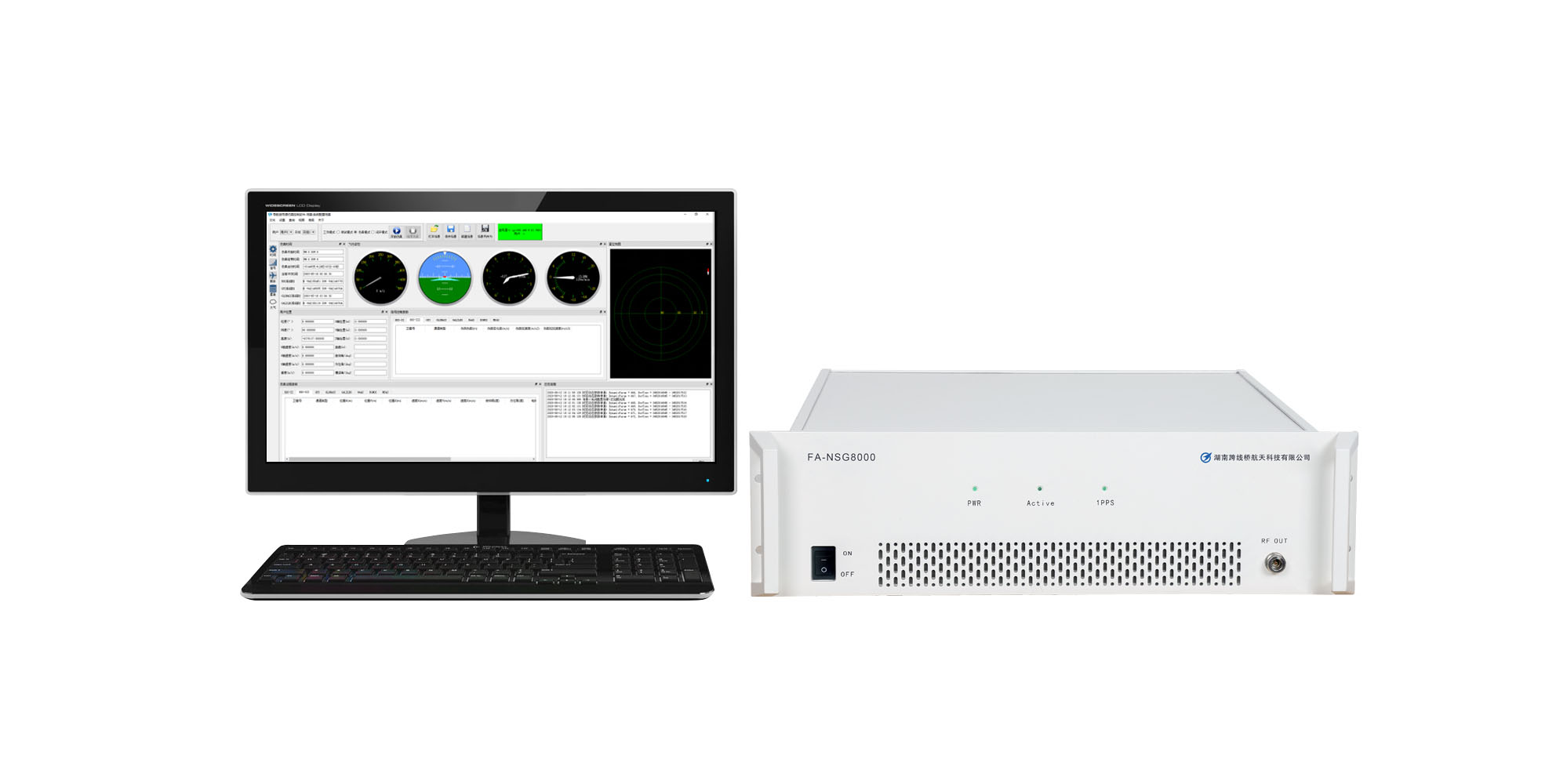
Repeat the defined GNSS input
The NSG8000 provides configurable GNSS signal simulation for receiver evaluation. Select signal coverage, scenario functions and interfaces against the actual regression suite.[8]
Platform reference image. DUT firmware management, configuration readback, logging and result analysis are separate project-defined parts of the bench.
The GNSS signal-simulation solution covers the source-to-DUT workflow. The receiver's control interface, protocol versions and evidence requirements determine the remaining integration work.
Define the comparison before building the regression bench
Share the baseline and candidate scope, configuration differences, required GNSS signals, representative cases, starting states, DUT interfaces and acceptance rules. These inputs support a review of the RF source, control sequence, logging and reference-comparison requirements.
GNSS firmware regression testing FAQ
What makes a GNSS firmware comparison repeatable?
Verified running builds, equivalent intended settings, documented starting states, controlled inputs and RF paths, qualified capture/reference data and unchanged scoring rules. Preserve the actual execution order and per-run evidence.
Should every run use a cold start?
Use the state required by the case. Acquisition, resumed operation, correction recovery and configuration migration can need different preparations. A reset label alone does not establish which data and settings were retained.
Can a candidate pass specifications and still fail regression?
Yes. It can meet an absolute requirement while worsening beyond the allowed baseline change. The worked position-error example demonstrates this distinction.
Does improvement over the baseline prove that a defect is fixed?
The candidate must meet the relevant absolute and comparison criteria with adequate evidence. A smaller error or delay that still violates the requirement remains an unresolved failure.
Can an incomplete run simply be discarded?
Retain it with its evidence limitation and apply the predeclared retest policy. Unknown evidence prevents some decisions, while an independently established candidate failure remains a failure.
Does an RF simulator provide the entire firmware regression workflow?
The RF source supplies configured navigation signals. DUT preparation, supported firmware procedures, configuration verification, capture, protocol interpretation and release decisions must also be defined and integrated.
Technical references
Manufacturer examples apply to their documented products and firmware. All numerical comparisons above are invented to explain the decision rules.
- NovAtel OEM7: VERSION — running components and software-feature model.
- NovAtel OEM7: RXCONFIG — current receiver configuration.
- NovAtel OEM7: LOGLIST — active output messages and schedules.
- NovAtel OEM7: RESET — restart and retained settings/data.
- NovAtel OEM7: FRESET — reset targets and exceptions.
- LabSat: Road Angel case study — recorded inputs for firmware comparison.
- NIST Engineering Statistics Handbook: randomized block designs and run-order drift.
- GNSS Simulator: NSG8000 GNSS signal-simulation platform.