
GNSS Receiver Validation Test Plan: Workflow, KPIs, Pass/Fail Criteria and Reporting
A GNSS receiver validation test plan defines the receiver under test, controlled signal conditions, test scenarios, key performance indicators, calculation rules, pass/fail thresholds, required evidence, and reporting process. Its purpose is to turn receiver performance requirements into repeatable and auditable test results.
Without this chain, a test campaign may generate a large volume of logs without producing a defensible engineering decision. A strong plan connects every requirement to a scenario, every scenario to a measurable KPI, and every result to a clear acceptance decision.
This guide explains how to build that plan for GNSS receivers and GNSS-enabled systems using controlled simulation, RF record and replay, and structured field testing.
Key Takeaways
- Define the acceptance requirement before selecting a scenario or test instrument.
- Document the DUT, firmware, RF path, reference truth, receiver start state, and logging configuration before every run.
- Use a requirements traceability matrix to connect requirements, scenarios, KPIs, thresholds, and evidence.
- Test distributions and availability, not only average accuracy.
- Use controlled GNSS simulation for repeatable A/B comparisons and regression testing.
- Use record and replay to reproduce specific field environments, and use field testing to confirm installation realism.
- Treat the validation report as a reproducible evidence package, not a narrative summary.
1. What Is a GNSS Receiver Validation Test Plan?
A GNSS receiver validation test plan is a structured document that answers seven questions:
- What receiver, firmware, antenna, and system configuration are being tested?
- Which operational requirements must be verified?
- Which signal conditions and scenarios represent those requirements?
- Which outputs and events must be logged?
- How will each KPI be calculated?
- What result constitutes pass, fail, or further investigation?
- What evidence must be retained so another engineer can reproduce the result?
The plan may be used during receiver development, firmware comparison, product verification, production testing, customer acceptance, or certification-oriented evaluation. The level of detail changes with the program, but the traceability principle remains the same.
GPS Receiver Test Plan vs. Multi-GNSS Validation
A GPS receiver test plan is a focused version of a GNSS test plan. It may cover only GPS L1, L2, or L5 signals and the receiver behaviors associated with those signals. A multi-GNSS validation program expands the matrix to include combinations of GPS, Galileo, BeiDou, GLONASS, QZSS, NavIC, or SBAS, depending on receiver support and project requirements.
The workflow is the same in both cases. The difference is the constellation and frequency coverage, the receiver operating modes, and the number of interactions that must be controlled.
2. Inputs Required Before Testing
Do not start by building scenarios. Start by collecting the information required to make the test results interpretable.
| Input category | Information to define |
|---|---|
| Device under test | Receiver model, hardware revision, firmware version, serial number, and receiver role |
| Antenna and RF chain | Antenna model, cable type and loss, splitter, amplifier, attenuator, and connection method |
| Signal coverage | Required constellations, signals, frequency bands, and augmentation or correction services |
| Application | Automotive, railway, UAV, maritime, timing, aerospace, industrial, research, or production use |
| Receiver outputs | NMEA, binary protocol, raw observations, PVT, fix state, C/N0, DOP, 1PPS, or proprietary logs |
| Performance objectives | Accuracy, TTFF, sensitivity, continuity, recovery, timing, integrity, or resilience |
| Reference truth | Simulator truth, surveyed point, reference receiver, INS, motion platform, or known trajectory |
| Interfaces | RF, serial, Ethernet, CAN, UDP, TCP/IP, or HIL trajectory interface |
| Acceptance basis | Product specification, customer requirement, internal baseline, or applicable test standard |
| Evidence requirements | Required plots, raw logs, configuration files, run IDs, calibration records, and report format |
If one of these inputs is unknown, record it as an open item. An undocumented assumption can invalidate an otherwise well-executed campaign.
3. Configure the GNSS Receiver Test Setup
A basic conducted GNSS receiver test bench follows this signal and data path:
The exact setup depends on the receiver and application, but every test plan should document the following elements.
Device Under Test
Record the receiver model, serial number, hardware revision, firmware build, enabled constellations, enabled frequencies, navigation settings, correction mode, smoothing settings, and relevant antenna configuration.
Two receivers with the same product name may produce different results if their firmware, signal configuration, or antenna setup differs.
RF Path
Document the simulator output level, cable and splitter losses, attenuator settings, amplifier gain if used, and the estimated power at the DUT input. State whether the connection is conducted or over the air.
If sensitivity or signal-power thresholds are being tested, RF-path uncertainty and calibration status must be included in the result. A nominal simulator output level is not automatically the same as the level presented at the receiver input.
Reference Truth
Define the source against which receiver output will be compared. For simulation, this is normally the scenario truth trajectory and truth time. For field testing, it may be a surveyed point, a reference-grade receiver, a tightly coupled GNSS/INS system, or another validated reference.
The reference method and its uncertainty should be stated. A test result cannot be more defensible than the truth source used to calculate it.
Time Synchronization
Receiver logs, simulator events, truth data, and external system data must use a consistent time base. Specify the timestamp source, time zone or GNSS time reference, logging latency assumptions, and any alignment applied during post-processing.
This is particularly important for dynamic position error, outage recovery, HIL tests, and 1PPS or timing-receiver validation.
Logging and Automation
Confirm that the system can automatically:
- load the required scenario and receiver configuration;
- reset the receiver into the defined start state;
- start and stop RF generation and receiver logging;
- mark outage, masking, power, or trajectory events;
- capture receiver output and simulator truth;
- assign a unique run ID;
- restore the setup for the next repeated run.
Automation reduces operator variation, but the automation version and test script must also be controlled.
4. Build a Requirements Traceability Matrix
The requirements traceability matrix is the backbone of the validation program. It prevents tests from becoming disconnected demonstrations and makes gaps visible before the campaign begins.
| Requirement ID | Operating condition | Scenario ID | KPI | Pass/fail rule | Evidence |
|---|---|---|---|---|---|
| GNSS-REQ-01 | Open-sky cold start | SCN-TTFF-01 | Cold-start TTFF P95 | Project-defined threshold | TTFF run table and CDF |
| GNSS-REQ-02 | Defined signal outage | SCN-REC-01 | Reacquisition time P95 | Project-defined threshold | Event-aligned recovery plot |
| GNSS-REQ-03 | Static nominal RF | SCN-ACC-01 | Horizontal error P95 | Project-defined threshold | Position-error CDF |
| GNSS-REQ-04 | Dynamic route | SCN-DYN-01 | Availability within error limit | Project-defined threshold | Error-over-time plot |
| GNSS-REQ-05 | Partial masking | SCN-CON-01 | Dropout rate and lock time | Project-defined threshold | Lock-state and C/N0 logs |
Each requirement should have at least one test case. High-risk requirements may need several scenarios to verify performance across different geometry, dynamics, signal power, and environmental conditions.
The matrix also supports change control. When a requirement, firmware version, or scenario changes, the affected evidence can be identified without rerunning the entire program blindly.
5. Select the Core GNSS Receiver Tests
Most programs do not need every possible GNSS test. Begin with the smallest set that covers the receiver's operational risks, and then expand based on observed failures and customer requirements.
| Test | Preconditions | Controlled input | Logged output | Primary result |
|---|---|---|---|---|
| Cold-start TTFF | Time, position, and relevant assistance data cleared | Defined constellation, time, location, and RF condition | Start command, fix state, fix timestamp | TTFF distribution and success rate |
| Warm/hot-start TTFF | Start-state information defined and documented | Same controlled scenario family | Start command, receiver state, fix timestamp | TTFF distribution by start state |
| Acquisition sensitivity | Receiver placed in defined start condition | Controlled RF level or power sweep | Fix state, C/N0, acquisition events | Lowest level meeting the acquisition rule |
| Tracking sensitivity | Valid fix established before reduction | Controlled RF power decrease | Per-satellite lock, fix state, C/N0 | Lowest level meeting the tracking rule |
| Reacquisition | Stable tracking before interruption | Defined outage or masking event | Signal restore time, lock and valid-fix time | Reacquisition-time distribution |
| Static accuracy | Known static truth position | Controlled geometry and RF environment | Receiver position and truth position | Median, RMS, P95, and availability |
| Dynamic accuracy | Known time-tagged trajectory | Controlled motion profile | Receiver PVT and truth trajectory | Time-aligned horizontal/vertical error |
| Continuity | Stable receiver operation | Power, masking, or visibility transitions | Lock state, fix state, dropout events | Dropout rate and percentage lock time |
| Multi-constellation behavior | Receiver mode fixed before run | GPS-only and defined multi-GNSS combinations | PVT, satellites used, DOP, C/N0 | KPI comparison by signal mode |
| Timing performance | Timing receiver configured and synchronized | Defined GNSS and reference timing input | 1PPS or time output | Time offset, stability, and recovery |
Define the Valid Fix Before Measuring TTFF or Recovery
Do not define a successful result as simply “the receiver reported coordinates.” A valid fix may require:
- a specific 2D or 3D fix state;
- a minimum number of satellites used;
- DOP below a defined limit;
- horizontal error below a defined threshold;
- a stable solution for a minimum period;
- a valid timing or integrity flag.
Use the same valid-fix definition for every run in the comparison.
6. Build a Scenario Matrix That Matches the Requirement
A scenario is not only a route. It is a fully specified test world containing signal, geometry, motion, environment, receiver state, timing, and event assumptions.
| Scenario dimension | Example settings |
|---|---|
| Environment | Open sky, partial masking, urban-like blockage |
| Dynamics | Static, moderate motion, high dynamics, start/stop transitions |
| Constellation | GPS-only, defined multi-GNSS mode, reduced constellation |
| Frequency | Single-band, dual-band, or multi-band configuration |
| Start state | Cold, warm, or hot start |
| Signal condition | Nominal power, attenuation sweep, outage, power transition |
| Propagation | Nominal atmosphere, multipath, or project-defined error model |
| Time and geometry | Defined start time, location, satellite visibility, and DOP window |
Keep the matrix small enough to run repeatedly. A compact set of discriminative scenarios is more valuable than a large library that is rarely executed.
For detailed guidance on trajectory, dynamics, constellation and frequency selection, signal power, visibility, and environmental variables, see GNSS Simulation Scenario Design.
Start With Baseline, Stress, and Regression Classes
Baseline scenarios confirm that the setup, logging, truth comparison, and KPI calculations work under nominal conditions.
Stress scenarios isolate one difficult condition, such as reduced power, poor geometry, masking, multipath, higher dynamics, or a defined outage.
Regression scenarios are frozen cases that have demonstrated an ability to reveal receiver or firmware differences. Their configuration should not change without version control.
7. Define KPI Calculation Rules Before the Test
KPI names alone are not enough. Two teams can calculate “95% horizontal error” differently if they use different coordinate frames, sample rates, exclusion windows, or interpolation rules.
Recommended Baseline KPIs
- TTFF with an explicit cold, warm, or hot start state;
- reacquisition time after a defined outage or masking transition;
- acquisition and tracking sensitivity where RF-level testing is required;
- dropout rate and percentage lock time;
- per-satellite C/N0 stability and sudden dips;
- DOP over time for geometry interpretation;
- horizontal and vertical position error distributions;
- median, RMS, 95th percentile, and optionally 99th percentile;
- availability of meeting a defined operational threshold;
- timing offset and recovery for timing receivers.
For definitions and reporting guidance, see GNSS Accuracy Metrics Explained.
Example Calculation Rules
For local East, North, and Up errors, horizontal position error can be calculated as:
Availability within an error threshold can be calculated as:
Reacquisition time can be calculated as:
Dropout rate can be calculated as:
The test plan must also define:
- the coordinate frame and truth interpolation method;
- the receiver and truth sample rates;
- the valid-fix rule;
- warm-up and exclusion windows;
- treatment of missing or invalid epochs;
- the percentile method;
- event alignment and timestamp correction;
- whether all runs are pooled or analyzed separately first.
KPI Guardrails
- Do not report TTFF without a defined start condition.
- Do not treat DOP as measured accuracy. DOP describes geometry.
- Do not use only mean error. Mean values can hide tail events and short failure windows.
- Do not compare two receiver builds using different exclusion or alignment rules.
- Do not remove failed runs without a documented exclusion rule.
8. Define Pass/Fail and Acceptance Criteria
Pass/fail criteria should be written before the test is executed. Otherwise, teams may unintentionally select the interpretation that makes a preferred result look acceptable.
A practical acceptance rule contains four parts:
- the KPI being measured;
- the statistic or event definition;
- the operating condition or scenario class;
- the required threshold and confidence rule.
| Acceptance area | Example rule structure |
|---|---|
| Accuracy | P95 horizontal error ≤ X meters in scenario class A |
| Availability | Horizontal error ≤ X meters for at least Y% of eligible time |
| TTFF | P95 TTFF ≤ T seconds under the defined start state |
| Recovery | P95 reacquisition time ≤ R seconds after the defined outage |
| Continuity | Dropout rate ≤ D events per hour or lock time ≥ L% |
| Sensitivity | Receiver meets the valid-fix rule at or below the defined input level |
| Timing | P95 time offset ≤ N nanoseconds under the defined reference condition |
Illustrative Worked Example
Illustrative thresholds only. The values below illustrate how an acceptance table may be filled out. They are not universal GNSS receiver requirements and must be replaced with values from the DUT specification, customer requirement, or applicable standard.
| Test case | Illustrative acceptance criterion |
|---|---|
| Open-sky cold-start TTFF | P95 TTFF ≤ 45 seconds with at least 95% successful starts |
| Open-sky static accuracy | P95 horizontal error ≤ 5 meters |
| Accuracy availability | Horizontal error ≤ 5 meters for at least 99% of eligible epochs |
| Defined outage recovery | P95 reacquisition time ≤ 3 seconds |
| Baseline continuity | No unintended solution dropout during the eligible test interval |
Repeat Count and Confidence
Avoid one-run pass/fail decisions. The number of repeats depends on variability, risk, and the statistic being estimated.
TTFF and acquisition tests often require more repeated starts than a long-duration accuracy test because each start produces one primary sample. A position-accuracy run may produce many epochs, but those epochs are time-correlated and should not automatically be treated as independent trials.
The plan should specify:
- the minimum number of runs;
- the minimum eligible duration;
- the required number of successful runs;
- the treatment of timeouts and failed starts;
- the confidence or stability rule used to close the test.
9. Execute Controlled Tests and Preserve Evidence
Use the same execution sequence for every test case:
- Verify equipment identification and calibration status.
- Confirm the DUT hardware, firmware, antenna, and operating configuration.
- Load the approved scenario and record its version or checksum.
- Confirm RF-path settings and expected DUT input level.
- Put the receiver into the required start state.
- Start synchronized simulator, truth, and DUT logging.
- Execute the scenario without undocumented operator intervention.
- Stop the run and confirm log completeness.
- Assign the run ID and store configuration, truth, receiver logs, and notes together.
- Apply the approved KPI calculation and pass/fail rules.
Minimum Logging Checklist
- run ID, date, operator, and test-plan version;
- receiver model, serial number, firmware, and configuration;
- antenna and RF-path configuration;
- simulator model, software version, and scenario ID;
- start state and reset method;
- constellation and frequency configuration;
- simulator truth PVT and event timeline;
- receiver position, velocity, time, and fix state;
- per-satellite C/N0, lock state, and satellites used where available;
- DOP and receiver status flags;
- outage, masking, power, and trajectory event timestamps;
- raw observations where required;
- warnings, anomalies, manual actions, and exclusions.
If the logs cannot reconstruct what happened and when, the result cannot be defended to a customer, auditor, or another engineering team.
10. Use a Decision-Ready Validation Result Matrix
The result matrix should summarize the decision while retaining a direct link to the underlying evidence.
| Scenario | Runs | Median | P95 | Availability | Result | Evidence ID |
|---|---|---|---|---|---|---|
| Open-sky static | 10 | To be calculated | To be calculated | To be calculated | Pass/Fail | RUN-ACC-001–010 |
| GPS L1 cold start | 20 | To be calculated | To be calculated | Success rate | Pass/Fail | RUN-TTFF-001–020 |
| Multi-GNSS dynamic route | 10 | To be calculated | To be calculated | To be calculated | Pass/Fail | RUN-DYN-001–010 |
| Defined signal outage | 10 | To be calculated | To be calculated | Recovery success rate | Pass/Fail | RUN-REC-001–010 |
For comparisons between receiver A and receiver B, or firmware A and firmware B, add baseline and delta columns. Always preserve the absolute result as well as the percentage change. A large percentage improvement can still leave the receiver outside the acceptance threshold.
Plots That Consistently Improve Decisions
- CDF of horizontal and vertical error;
- error over time with scenario events annotated;
- DOP and error on aligned time axes;
- C/N0 and lock status with dropout markers;
- TTFF or reacquisition distributions;
- receiver output versus truth trajectory;
- KPI trend by firmware or hardware release.
11. Choose the Right Test Method Mix
A strong GNSS receiver validation plan does not rely on one method for every question.
| Method | Best used for | Main limitation |
|---|---|---|
| Live GNSS simulation | Controlled A/B testing, variable isolation, repeatable regression, requirements verification | Scenario assumptions must represent the intended operating environment |
| RF record and replay | Reproducing a specific route, multipath environment, interference event, or field failure | Captured conditions are fixed and cannot be varied as freely as simulation |
| Field testing | Antenna installation, platform coupling, operational environment, and final integration confidence | Geometry and RF conditions change, reducing repeatability |
Use simulation when the question is, “Did the receiver or firmware change cause the KPI change?” Use record and replay when the question is, “Can we reproduce the same field incident?” Use field testing when the question is, “Does the integrated system behave correctly in its real installation?”
For a detailed comparison, see Record & Replay vs. GNSS Simulation vs. Field Testing.
12. Build a Reproducible Validation Report
A useful report is a reproducible evidence package, not a collection of screenshots.
Recommended Report Structure
- Executive summary — pass/fail status, major risks, and changes from the approved baseline.
- Test scope — receiver versions, antenna, RF setup, signal coverage, exclusions, and test objectives.
- Requirements traceability — requirement-to-scenario-to-KPI mapping.
- Test setup — connection diagram, equipment, calibration, reference truth, and time synchronization.
- Scenario definitions — matrix and controlled parameters.
- KPI definitions — formulas, valid-fix rule, exclusion windows, and thresholds.
- Results — summary matrices, distributions, availability, sensitivity, TTFF, recovery, and continuity.
- Failure analysis — symptom, event window, likely receiver stage, evidence, and recommended next action.
- Regression comparison — changes from previous firmware, hardware, or receiver baseline.
- Appendix — raw-log locations, run IDs, configuration files, scenario versions, analysis scripts, and tool versions.
Classify Outcomes Beyond Pass and Fail
For complex validation programs, use four states:
- Pass: all acceptance rules are met and evidence is complete.
- Fail: one or more acceptance rules are not met.
- Conditional pass: the requirement is met under documented limitations that require approval.
- Invalid or rerun required: setup, logging, truth, or execution problems prevent a valid decision.
Do not convert an invalid test into a fail unless the failure itself was produced by the DUT under a valid setup.
13. Turn Validation Into Regression Testing
Once a scenario reliably reveals a receiver weakness or distinguishes two builds, freeze it into the regression suite.
Regression Best Practices
- Keep a compact always-on suite of high-discrimination scenarios.
- Store scenario files, configuration files, analysis rules, and expected outputs together.
- Establish a golden receiver or golden firmware baseline where appropriate.
- Run the same suite after relevant firmware, hardware, RF, antenna, or algorithm changes.
- Track P95 error, availability, TTFF, reacquisition, dropout rate, and sensitivity over releases.
- Add scenarios from confirmed field incidents and customer failures.
- Version changes instead of silently editing the golden scenario.
- Define both absolute acceptance limits and change-from-baseline warning limits.
Regression testing creates the long-term value of controlled GNSS simulation. It converts one validation campaign into a reusable release gate.
14. Match the Test Platform to the Validation Requirement
The correct test platform depends on signal coverage, scenario complexity, automation, RF outputs, HIL requirements, and whether the program needs synthetic control or exact field reproduction.
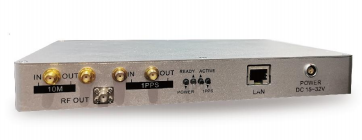
NSG2000
Portable GNSS Signal Simulator
Use NSG2000 when portability, fast setup, receiver debugging, production support, and focused civil-signal validation are more important than maximum constellation, frequency, HIL, or multi-output scale.
Validation directionPortable receiver R&D, debugging, focused civil-signal testing, and production support.
View NSG2000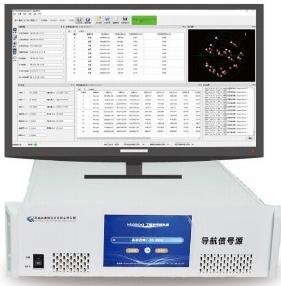
NSG8000
Multi-Constellation GNSS Signal Simulator
Use NSG8000 when the program requires broader signal coverage, detailed scenario control, multi-frequency receiver testing, real-time external trajectory integration, multiple receiver outputs, or a structured acceptance and system-integration workflow.
Validation directionMulti-constellation and multi-frequency validation, complex scenarios, HIL integration, multi-receiver testing, and acceptance-oriented workflows.
View NSG8000
SSR8000
Signal Recording and Playback
Use SSR8000 when the critical test asset is a real RF environment captured during a route, site survey, interference event, or field failure. Replay enables the same captured conditions to be applied repeatedly during debugging and regression.
Validation directionField-signal capture, route replay, multipath reproduction, field-issue analysis, and realism-based firmware regression.
Explore SSR8000Product selection should follow the validation requirement. Before configuration, confirm the DUT, required constellations and frequency points, RF-output count, trajectory or HIL interface, logging method, test scenarios, and expected upgrade path.
15. Request a Scenario and Test Plan Review
A receiver validation system should be configured around the required evidence, not only around a list of supported signals.
Discuss Your Receiver Test Plan with the engineering team to map the required scenarios, test platform, interfaces, and reporting workflow before selecting a system configuration.
For an engineering review, prepare the following information:
- receiver type and application;
- target constellations and frequency bands;
- required TTFF, accuracy, sensitivity, continuity, timing, or recovery tests;
- receiver output and logging interface;
- static, dynamic, HIL, record-and-replay, or multi-receiver requirements;
- RF-output quantity and connection method;
- applicable customer requirement or test standard;
- expected validation report and acceptance evidence.
Common GNSS Receiver Validation Mistakes
Using One Long Scenario That Changes Everything
If geometry, dynamics, power, masking, and constellation mode all change together, the result may reveal a failure but not its cause. Use targeted scenarios to isolate variables before combining them in system-level stress tests.
Treating Field Runs as Controlled A/B Tests
Satellite geometry, atmosphere, multipath, interference, and traffic conditions change between runs. Use controlled simulation for the primary comparison and field testing for integration confirmation.
Reporting Only Average Accuracy
Receiver failures frequently occur in short transitions and tail events. Report distributions, P95, availability, and annotated worst windows.
Omitting the Start State From TTFF
Cold, warm, and hot starts test different receiver conditions. TTFF without a documented start state is not comparable.
Changing the Analysis Method Between Releases
A receiver can appear to improve if the sample rate, alignment, valid-fix rule, or exclusion window changes. Version and freeze the calculation method.
Leaving Failed Runs Out of the Dataset
A timeout or missing fix may be the most important result in the campaign. Define how failed runs are represented before testing and report all exclusions.
FAQ
What is GNSS receiver testing?
GNSS receiver testing evaluates acquisition, tracking, positioning, timing, continuity, sensitivity, recovery, and related receiver behavior under defined signal and environmental conditions. Controlled testing makes receiver, firmware, and configuration comparisons repeatable.
What should a GNSS test plan include?
A GNSS test plan should include the DUT configuration, antenna and RF path, signal coverage, test setup, reference truth, scenario matrix, KPI definitions, pass/fail thresholds, repeat count, logging requirements, analysis rules, and report structure.
How do you test a GPS receiver in the laboratory?
A GPS receiver can be connected to a controlled GPS or GNSS signal simulator through a defined RF path. The simulator generates a known scenario, the receiver logs its output, and the measured position, timing, acquisition, tracking, or recovery behavior is compared with simulator truth and the test-plan threshold.
Which KPIs should always be included?
The baseline set normally includes TTFF with start state, reacquisition time, position error distribution, availability within an error limit, dropout rate, C/N0 stability, and DOP for geometry interpretation. Sensitivity and timing metrics should be added when required by the receiver application.
How should pass/fail criteria be set?
Pass/fail criteria should come from the DUT specification, customer requirement, internal release target, or applicable standard. Each rule should define the KPI, statistic, operating condition, threshold, repeat count, and treatment of failed or invalid runs.
How many runs are required for GNSS receiver validation?
There is no universal number. The required count depends on test variability, risk, the KPI being estimated, and the required confidence. TTFF and acquisition tests usually require multiple independent starts, while accuracy and continuity tests require sufficient eligible duration across representative scenarios.
What is the difference between receiver validation and regression testing?
Validation determines whether the receiver meets defined requirements. Regression testing repeatedly applies a frozen subset of high-value scenarios to detect performance changes after firmware, hardware, configuration, or integration updates.
Can field testing replace GNSS simulation?
No single method replaces the others. Field testing validates installation and operational realism, but it is difficult to reproduce. Simulation is better for controlled comparisons and regression, while record and replay is useful for reproducing specific field environments.
What should be included in a GNSS validation report?
The report should include scope, DUT and setup details, requirements traceability, scenario definitions, KPI and pass/fail rules, results tables, CDF and time-series plots, failure analysis, regression comparison, run IDs, raw-log references, and a clear acceptance decision.